The quick answer
A sitemap helps a search engine discover the URLs you want it to consider. It does not guarantee that those pages will be crawled, indexed or ranked. When a sitemap report shows an error, first identify whether the problem concerns retrieving the file, reading its contents or processing the pages listed inside it.
A sitemap helps a search engine discover the URLs you want it to consider. It does not guarantee that those pages will be crawled, indexed or ranked. When a sitemap report shows an error, first identify whether the problem concerns retrieving the file, reading its contents or processing the pages listed inside it.
Separate discovery, crawling and indexing
These are different stages with different evidence. A page can appear in a submitted file before Google requests it. Google can fetch a page without including it in its index. An indexed page still needs to be relevant to a search before it appears for that query.
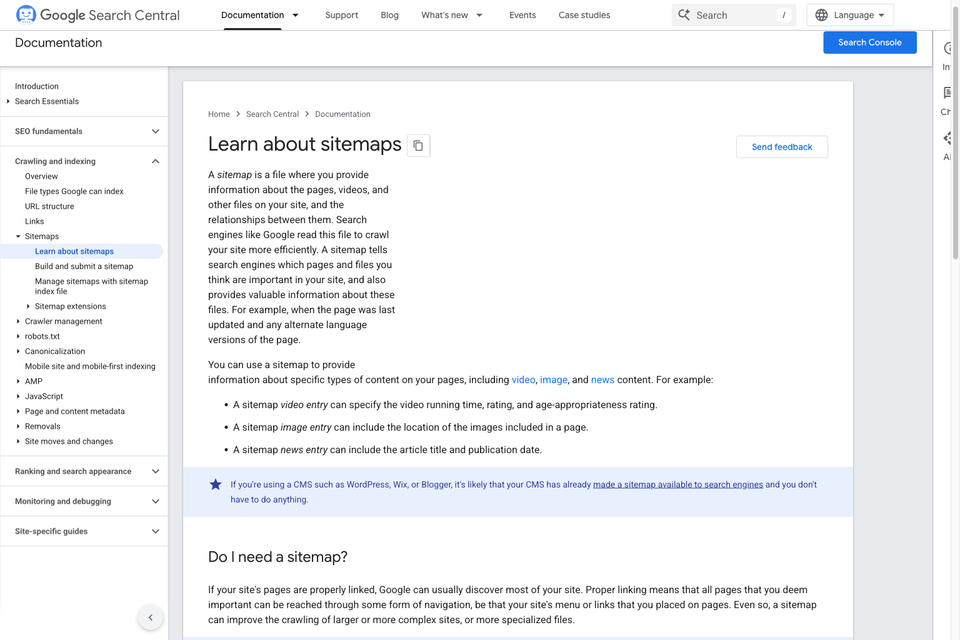
Google's sitemap overview explains the file's role in discovery and crawling. The useful operational question is which stage you have actually observed, not whether every green checkmark means the whole search journey is complete.
For a new article, keep a simple record: its public URL, where it is linked internally, whether it appears in the intended sitemap and the relevant Search Console observation when available. Keep those observations dated because a report and the live website can describe different moments.
Publish the URLs you want considered
Use the site's preferred public URLs consistently. The sitemap should support the canonical route plan rather than list old aliases, temporary previews and redirecting versions of the same page together.
A business site might use a clean route such as /blog/website-planning. Whether the implementation uses a CMS, static files or a framework behind that route is a separate decision. The important review is that the listed public address returns the intended page and matches the site's canonical policy.
Follow Google's sitemap creation guidance for formatting, URL selection and accurate modification dates. Do not change every page's date each day merely to make the file appear fresh. A content publishing workflow should update records when the relevant page actually changes.
Understand the counters in the report
The Sitemaps report records submitted files and their processing state. Its discovered-page count concerns URLs parsed from the sitemap; it is not a count of pages currently ranking for useful queries. Google's report documentation explains that discovery does not establish crawling or indexing.
A new submission with zero discovered pages deserves investigation, but zero by itself is incomplete evidence. Read it with the type, latest status, last-read information and the details of the exact submitted file. Do not compare that number directly with an analytics session count: they describe different things.
When reporting progress to a team, use the full statement you can support. For example, “The file is available and contains the expected URLs” is a different result from “Google processed the submitted sitemap.” Neither statement establishes a traffic increase.
If the report says Couldn't fetch
Start with the exact submitted URL. Check that it returns the sitemap itself without requiring a login, and that the response is not an error page or a browser challenge presented as HTML. Confirm that the file can be read as its declared format and that robots.txt does not block the request.
Then inspect the sitemap's details in Search Console. Google recommends testing that exact URL with URL Inspection's live test and reviewing crawl permission and fetch status. A request from your own browser is useful, but it is separate evidence from Google's request.
If Google's live test succeeds while the sitemap report still shows an earlier error, record both results and their times. The live test demonstrates current availability in that test; it does not rewrite the processing history or prove what happened during the earlier attempt. Avoid declaring a specific firewall or server fault without evidence from the failing request.
Use any precise error information to investigate the relevant layer: an incorrect address, access restriction, server availability or another documented condition. A transient error and a persistent configuration problem need different responses. Repeatedly changing URLs, removing records or submitting duplicates can make the history harder to understand.
A successful fetch is not the end of the review
Once the file is retrieved, it still needs to be parsed. Once URLs are discovered, the pages themselves remain subject to crawling and indexing decisions. Review a representative page when the question concerns that page; do not use the sitemap's status as a substitute.
A page-level problem might require a different owner or change from a file-level problem. Keep the exact URL and observed reason attached to the investigation so a developer does not fix the wrong layer. Check internal links and the page's actual content alongside technical signals.
Our website structure guide and internal-link planning guide explain the wider architecture. A sitemap complements routes readers can navigate; it should not be the only practical way to find an important page.
Keep a small evidence record
For each investigation, note the submitted file URL, time of the observation, HTTP result, declared format, parsed URL count and any relevant Search Console detail. Record the live test separately from the saved report result.
A fictional example might record a file with twenty expected URLs returning HTTP 200, while the saved report still displays an earlier fetch error. The next action is to investigate and retest the reported failure with those dated observations. It is not to announce that twenty pages have entered the index.
Use an actual verification record for the final outcome. Name what changed, which test passed and what remains unknown. A brief factual record is more useful than an undated screenshot labeled SEO fixed.
Include the sitemap in ordinary publishing
When publishing or withdrawing a page, review its public route, relevant internal links, canonical metadata and sitemap inclusion together. Where a CMS generates the file, check the resulting file rather than assuming a setting produced the intended inventory.
After a website migration or significant release, use the website launch checklist to review those connected details. Keep obsolete page handling deliberate; do not silently turn every missing page into a redirect to the homepage.
A sitemap is a useful discovery input and a useful diagnostic surface. Sustainable search work also requires useful pages, coherent navigation, accurate evidence and continued review of what people need from the site.
Primary Google documentation was checked on 30 October 2026. The twenty-URL example is fictional. This guide does not present private property metrics or promise indexing, traffic or rankings. The cover is a screenshot of the official Google Search Central documentation, not a Search Console performance report.

The Blitz Studio team
We design brands, build websites and engineer digital products.
Talk about your next project