The quick answer
A useful website structure helps a visitor find an answer and understand what to do next. It also gives search engines clear routes between pages. Start by grouping genuine customer needs, then give each distinct need an appropriate page.
Give each important question a home
A useful website structure helps a visitor find an answer and understand what to do next. It also gives search engines clear routes between pages. Start by grouping genuine customer needs, then give each distinct need an appropriate page.
For a studio, service pages explain what can be bought, work pages show what has been made, and learning pages help someone solve a related problem. These pages can support each other without repeating the same content.
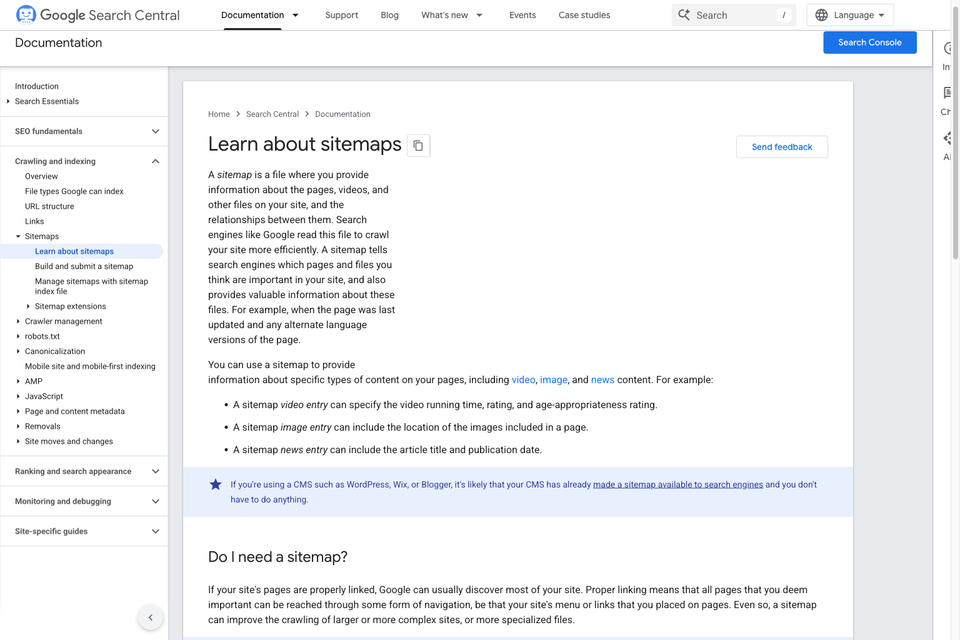
Google recommends organizing a site logically and using descriptive, crawlable links. This is a foundation for discovery and understanding, not a guarantee that a page will rank for a particular query.
Separate services, topics and articles
A service page should help a potential customer assess an engagement: who it is for, the work included, relevant evidence and a next step. An article should satisfy a specific informational need. A topic page should organize several useful pieces of content and help a reader choose where to begin.
For example, a WordPress service page, a WordPress topic hub and a tutorial on creating a WordPress website can serve three different tasks. They should not be three versions of the same paragraph with different titles.
Give each proposed page a primary reader task before writing it. If two briefs have the same task and answer, consider one stronger page instead of two competing drafts.
Use a small, understandable hierarchy
Think in a few levels: a main navigation destination, a focused topic or service, and a detail page where needed. The exact URL pattern matters less than keeping routes understandable and consistent.
A business website might connect Resources to a website platform topic, then to a Webflow and Framer comparison. The comparison can link to a relevant brief template and a service enquiry route when those links help the reader.
Avoid building a taxonomy with dozens of nearly empty categories. A category earns a public page when it has a useful introduction, a clear purpose and enough distinct material to help someone explore it.
Make internal links do useful work
Use native links with real destinations. Link text should make sense in context: “website launch checklist” tells a reader more than “click here.” Add links where they help the next decision, not every time a keyword appears.
An article should usually link to its topic, a few directly relevant resources and any service that provides a logical next step. The linked page should fulfill the expectation created by the anchor text.
Check that important pages have more than a sitemap entry pointing to them. A reader should be able to reach them through ordinary navigation or relevant content. Pages with no internal route are easy to forget during both publishing and maintenance.
Keep one useful URL for each page
Choose a canonical URL and use it consistently in internal links, metadata and the sitemap. When you replace a page or change its address, map the old URL to the closest appropriate destination where one exists.
Do not redirect every removed article to the homepage. That often fails the reader's expectation. A genuinely missing page should return an appropriate 404 or 410 response rather than pretending that an unrelated page answers the request.
Search and filter states deserve a separate decision. Useful curated topic pages can be indexable destinations. Arbitrary search terms and every possible filter combination do not need their own indexable URL.
Build an editorial map before scaling
For each article idea, record the reader, question, intent, destination URL, main topic and the evidence it needs. Also record related pages and the next action that helps the reader.
This makes duplication easier to catch before it becomes a publishing problem. “How to build a WordPress website” and “How to create a website on WordPress” will often belong in one strong guide. A separate comparison of WordPress.com and WordPress.org answers a different decision.
Scale the research, drafting, formatting and review workflow. Publish a page when it has a useful answer and distinct value. Volume alone is not a quality signal.
Review what search visitors actually do
Use Search Console to examine queries, impressions, clicks and indexing reports. Use your analytics and enquiry process to understand whether relevant visitors reach a useful next step. Neither impressions nor traffic alone establish business value.
When a page underperforms, inspect the query intent, actual answer, competing pages, internal routes and indexing state before changing its title repeatedly. Update the page when you have a real improvement to make, and change the visible update date when substantive content changes.
Use the launch checklist to check the technical foundation. Keep ongoing editorial ownership with someone who can assess the subject matter and maintain the evidence.
Sources and further reading
- Google: SEO Starter Guide
- Google: Crawlable links
- Google: Canonical URLs
- Google: Helpful, reliable content
- Google: Spam policies

The Blitz Studio team
We design brands, build websites and engineer digital products.
Talk about your next project