The quick answer
# How to keep lazy-loaded content discoverable
# How to keep lazy-loaded content discoverable
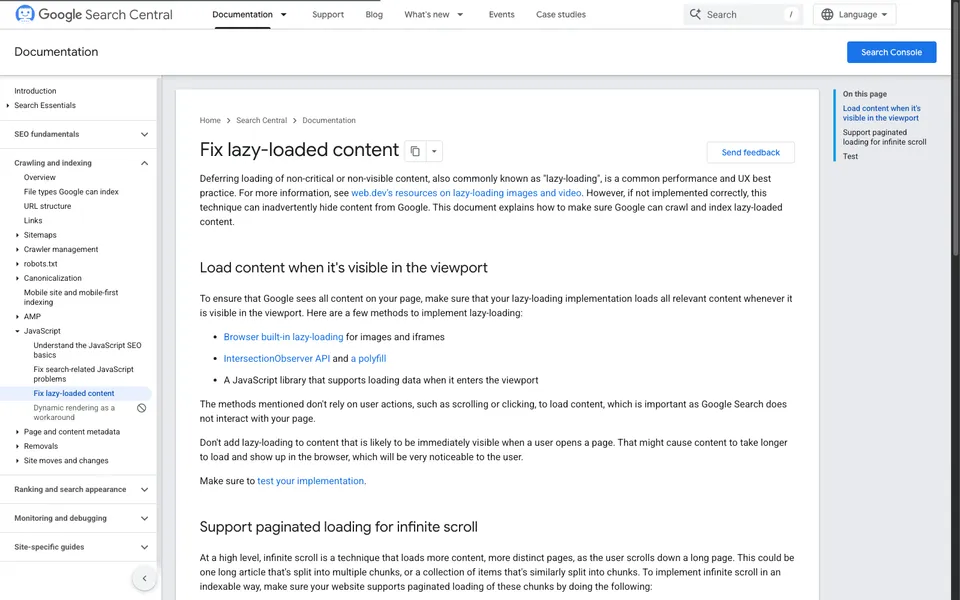
A collection can load more products as someone scrolls while still giving every group its own URL. Make the second page work when opened directly. Then add infinite scroll or a Load more button as an enhancement to the same listing. Google Search Central’s lazy-loading guide
Give each group a permanent address
Imagine a ceramics shop with 36 products and 12 per page. Its main collection shows the first 12, and its second and third URLs show the next two groups. Pick a predictable order so a reload shows the same range when inventory is unchanged. Keep each product name linked to its detail page and give the collection ordinary links to adjacent pages.
Open the second URL in a fresh session. It should display the collection context, the second group and usable navigation even if the visitor never saw the first page. A URL that only changes after scrolling and loads the first group when opened directly fails this test.
Decide what can wait
Keep the first useful content available at arrival. Defer below-the-fold images as they approach the viewport. Google Search recommends loading content when it enters view without requiring the visitor to click or scroll. If a button loads the next group in place, keep an ordinary link to the URL for that group. Google Search Central’s lazy-loading guide
Verify the path in both directions
Start on page one and use the enhanced control to reach page two. Then paste page two’s URL into a fresh browser and check that it shows the expected group. Follow a product link and use Back to see whether the listing restores a useful position. Test on a smaller viewport where the first group takes longer to traverse.
Check that the rendered listing exposes the expected links and that a request to a later URL returns the intended page. If Search Console access is available, inspect the rendered HTML for a representative URL. Record what you observed and when. The public browser checks establish what the site serves, while Search Console can report what Google observed.

The Blitz Studio team
We design brands, build websites and engineer digital products.
Talk about your next project