The quick answer
A regional team can look at its own Search Console property and still miss where its Search generative AI setting comes from. Before changing the setting, trace the property hierarchy and identify which property supplies the effective choice.
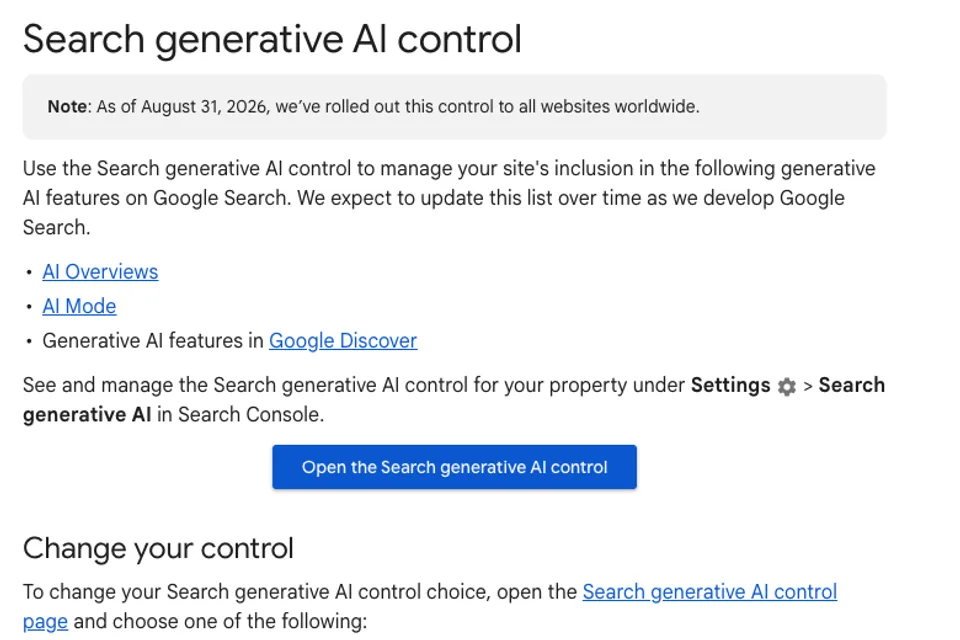
A regional team can look at its own Search Console property and still miss where its Search generative AI setting comes from. Before changing the setting, trace the property hierarchy and identify which property supplies the effective choice.
Google says the Search generative AI control rolled out globally on 31 August 2026. It affects inclusion in the applicable Google Search generative AI features. Google documents a separate control, Google-Extended, for limiting model training. Search Console control documentation
Identify the property that owns the choice
Suppose a fictional company manages a domain property for example.com, a URL-prefix property for its business section and another for its catalogue. The catalogue team wants its pages included in eligible AI features. Its first step is to identify whether the catalogue property has an explicit setting or inherits from a parent.
Google describes inheritance from the closest parent that has stopped inheriting. If the business property has an explicit choice and the catalogue inherits, a decision made at the business level can affect the catalogue. Record the actual property names and effective values. A screenshot from the domain property alone leaves the child configuration unresolved.
Check the scope before proposing a change
List the sections that fall under the property and identify their owners. Ask each owner whether their pages serve the same publishing purpose. A public product guide and a customer-only document have different access requirements even when they sit near each other in the URL structure.
Agree on the outcome in plain language. For example, the company may want its public catalogue eligible for applicable AI features while requiring signed-in access for customer documents. This calls for a property decision and a separate access decision for those documents. Google’s overview of Search content controls
Keep a decision record
Record the property, parent property, explicit or inherited choice, observed effective value, observation date and reviewer. Add the reason for any proposed change and a list of teams affected. When the effective value is unavailable, record that observation as pending and ask an authorized property owner to confirm it.
A read-only review can establish the visible setting. If the business approves a change, have an authorized owner record the new value and time. Google says exclusion generally takes a few days after a change and some content may take longer to propagate. Set a review date that accommodates that delay. Search Console timing and inheritance guidance
Choose evidence that answers the question
A settings screenshot records the effective choice at a particular time. A public URL response can establish which access and preview directives the server returns. A dated Search Console report can show available observations for the selected property and period. Keep each item attached to its property or URL so a reviewer can reconstruct the decision.
For example, a single AI response that links to a page gives you one dated observation. Check the effective property setting before using it to explain an inconsistency. If report access is pending, record the missing evidence and review what is available.
Work through one child property first
Pick one public section with a named owner. Record the inherited value, document the desired outcome and ask the owner to approve any change that affects adjacent sections. Use the search visibility decision worksheet to record this decision alongside any page or file controls.
Google’s documentation was checked on 13 November 2026. The company and property example is fictional.

The Blitz Studio team
We design brands, build websites and engineer digital products.
Talk about your next project