The quick answer
A useful download starts with a clear public page. Tell the reader what the document contains, when it was revised and how to use it. Then decide whether the PDF itself should be eligible for search or whether the landing page should be the entry point.
A useful download starts with a clear public page. Tell the reader what the document contains, when it was revised and how to use it. Then decide whether the PDF itself should be eligible for search or whether the landing page should be the entry point.
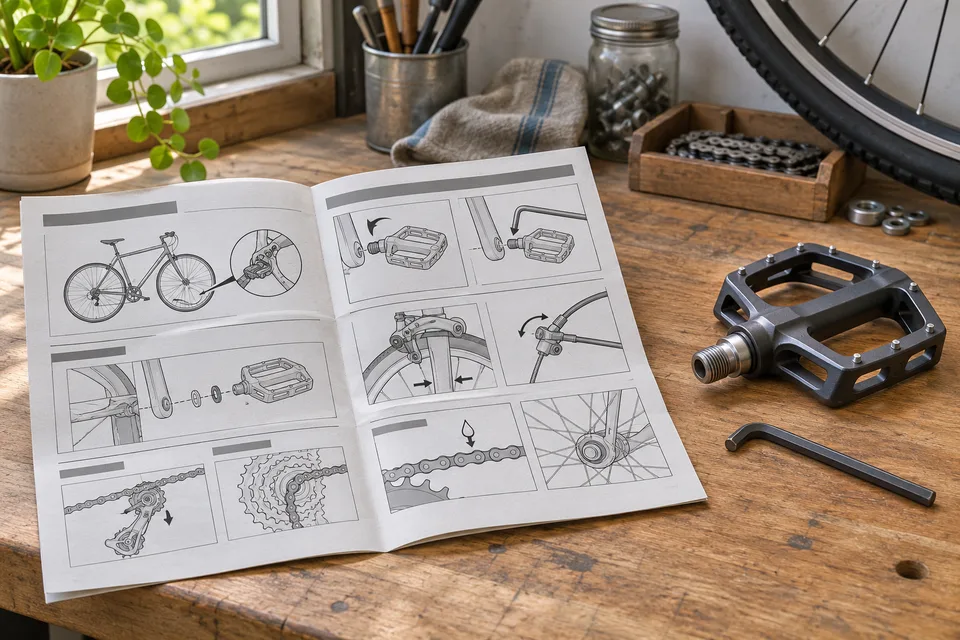
Consider a fictional bicycle workshop publishing a maintenance checklist. The landing page explains which bikes the checklist covers and where to get help. The PDF gives the reader a printable set of checks. A visitor who finds either should be able to identify the document, its publisher and its date.
Choose the entry point
Make the landing page the primary entry point when readers need context, prerequisites or access to newer versions. Provide enough explanation there for a visitor to decide whether to download. Label the download with the document’s subject and file type, and include a file size when it helps the reader choose.
If the PDF should be independently discoverable, include the title, revision date and a link back to the current landing page in the document. Consider what a person who opens the PDF directly needs to know. A short note on the first page can help them find the current version.
Decide how to handle search eligibility
Google documents the X-Robots-Tag HTTP header for directives on non-HTML files such as PDFs. A team that wants the landing page eligible while excluding the PDF can set noindex on the PDF response. Keep the file accessible to the crawler so it can read the directive. Check the final file response after redirects and inspect the landing page separately. Google’s robots directives reference
If the content requires restricted access, require authorization to open the file. Someone with a public download URL can request the document even when it carries a search directive. Review direct file URLs when moving a document behind sign-in.
Review the document in the form readers receive
Open the linked file from the public page on a phone and a larger screen. Check that the file opens, its text can be selected where appropriate, and its links work. Review reading order and document structure with the tools used in your accessibility process. If the checklist must be easy to use on a small screen, provide an HTML version or put the main steps on the page.
Check the download against the approved version. Confirm the filename and revision date and inspect the file for outdated phone numbers, logos and internal comments. Test it from the same link a reader will use. If the document has interactive fields, try completing and saving a copy in the viewers your audience uses.
Plan what happens at the next revision
Record who owns the document, which URL is permanent and what should happen to old links. If you replace the file at a stable URL, confirm the current version is served through the public link. If versioned files must stay available, make the latest edition easy to find and identify archived copies as such.
Keep the landing page and the download connected in the handover record. Assign one person to confirm both when the content changes. Use the search visibility decision worksheet to record the intended entry point, PDF header and verification date.

The Blitz Studio team
We design brands, build websites and engineer digital products.
Talk about your next project