The quick answer
Plan a product gallery around what the shopper needs to see before choosing an item. Give each image a distinct job, and put the views that answer the biggest buying questions near the start.
Plan a product gallery around what the shopper needs to see before choosing an item. Give each image a distinct job, and put the views that answer the biggest buying questions near the start.
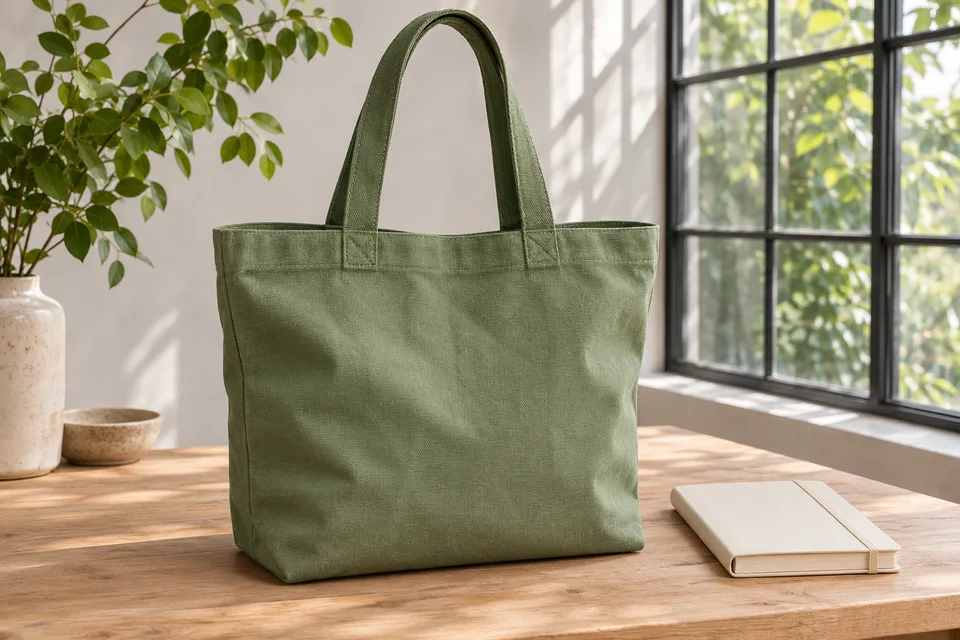
For a fictional canvas tote, the main image establishes the shape and colour. An in-use view shows how the handles sit on a shoulder. A close-up shows the seam and texture. An open view shows the pocket and closure. Publish the bag’s measured dimensions beside the gallery so customers have a reliable reference for size.
Map photos to buying questions
Read your product specifications and recurring customer questions. List the uncertainties that a photograph can resolve. Then specify the exact view you need. If people ask how a flap closes, a close-up of the closed front may still leave the question open. Photograph the closure while open and include enough surrounding material to orient the viewer.
Use the product photo shot list to record the question, camera view, variant and acceptance check. Assign an owner who can confirm that the sample matches the item sold.
Put the clearest identifying view first
Choose a primary image that still reads at the size of a collection card. Check it in the actual card crop and at phone width. A tote’s handles can disappear in a square crop even when the source image has ample room. Leave space around the silhouette and check where your theme places labels.
Sequence the next views based on the product. For a bag, capacity and the inside may be more important than a second angle of the outside. For a patterned textile, a close-up may help customers judge the weave early. Keep supplementary views near the image they explain.
Plan coverage for variants
Make a simple grid of colour or style options against the views required to choose each one. A detail view can be shared if it accurately represents that feature across variants. When a variant changes the hardware, texture or construction, plan a separate view.
Shopify documents one assigned image per variant and additional views in the product media gallery. Check what a shopper actually sees after selecting a variant in your theme. Verify the first displayed image and inspect the next few gallery positions so customers can identify which views belong to that option. Shopify’s variant image documentation
Review the actual files before upload
Place one approved sample near the shoot setup and check colour under the same lighting across the set. Review the files together. If the dark green bag changes hue dramatically between angles, reshoot or correct the mismatch before customers use those frames to compare colours.
Check that props clarify scale or use and that accompanying copy identifies anything sold separately. Add concise alt text for meaningful images based on what the view contributes. A close-up can say “Double stitching where the tote handle joins the side panel” when that is the detail shown. Keep dimensions and care information available as page text.
Verify the live gallery in context
Open the product page on desktop and phone. Try the gallery controls and variant selections. Check that the identifying view, the interior and the detail photo are all reachable. Open the zoomed view if your theme offers one and confirm that the file contains enough detail to make zoom useful.
Start with one representative product. Once the image order and variant checks work there, reuse the shot list for the rest of the range and adjust the questions to fit each product.

The Blitz Studio team
We design brands, build websites and engineer digital products.
Talk about your next project