The quick answer
Reduced-motion planning means deciding what a visitor should see when unnecessary movement is removed. A good alternative keeps the information and action available without requiring a zoom, parallax journey or animated reveal to understand the page.
Reduced-motion planning means deciding what a visitor should see when unnecessary movement is removed. A good alternative keeps the information and action available without requiring a zoom, parallax journey or animated reveal to understand the page.
Treat this as a design and implementation decision made before animation work. This guide is a planning framework, not a certification of any website’s accessibility. Its examples are hypothetical unless explicitly identified as a scoped observation of our own homepage.
Inventory motion by trigger and purpose
Start with the page, not with the animation library. List moving backgrounds, entrance effects, carousels, counters, smooth scrolling, menus, loading indicators and video. For each one, record what starts it and what information it communicates.
Distinguish automatic movement from movement initiated by a visitor’s action. An entrance effect on page load, a parallax effect during scrolling and a transition after opening a menu create different review questions. Do not assume that everything associated with scrolling is necessary to scroll the page.
State the purpose in plain language. “Helps the visitor see that the menu opened” is a possible purpose. “Looks premium” describes an aesthetic preference. If the information remains understandable when the movement is removed, design the static state first and decide how motion can support it.
Define the alternative before choosing a duration
A reduced-motion version does not have to be an unfinished page. Replace a large travel or zoom with an immediate state change, keep the heading and call to action visible, and use text to explain progress when movement is no longer the signal.
For a hypothetical service page, cards that normally slide into view could appear in their final positions without travel. For a menu, the links could become available immediately rather than moving across the viewport. For a counter, show the final value with its label, rather than requiring the visitor to wait for an animation to finish.
Avoid applying one blanket rule without checking the outcome. Setting every animation to an extremely short duration can leave reveal logic, event handlers or visibility states in a surprising condition. Agree the intended final state and check it in the real page.
Respond to the visitor’s preference
MDN documents prefers-reduced-motion as a CSS media feature that detects a device preference to minimize nonessential movement. Its reduce value expresses that preference; no-preference is not evidence that every possible animation will be comfortable for that visitor.
A CSS rule only affects behavior that the implementation actually connects to it. If motion is driven by JavaScript, a canvas, embedded media or a separate interaction tool, inspect that behavior too. Ask the implementer how the preference is read, whether a change during the session is handled and what happens if the animation never starts.
Browser emulation is a useful development check. It does not prove that every operating system, browser, assistive technology or embedded player behaves identically. Record the environment and the specific behavior observed, then use real-device review for the remaining uncertainty.
Keep two WCAG questions separate
W3C’s explanation of Animation from Interactions, success criterion 2.3.3 at Level AAA, concerns the ability to disable nonessential motion animation triggered by interaction. It identifies approaches including avoiding unnecessary effects and respecting a reduced-motion preference. This is distinct from a complete accessibility assessment.
Pause, Stop, Hide, success criterion 2.2.2 at Level A, addresses other conditions, including automatically starting movement that lasts more than five seconds alongside other content, unless essential. Its treatment of auto-updating content has additional conditions. Review the actual criterion and exceptions rather than turning “five seconds” into a universal permission for any effect.
A reduced-motion setting is therefore not a substitute for reviewing a carousel, background video or auto-updating feed on its own terms. Record whether a control or different default is needed for the actual content and behavior. A pause control also needs an understandable name and usable interaction.
A still image is a limited observation
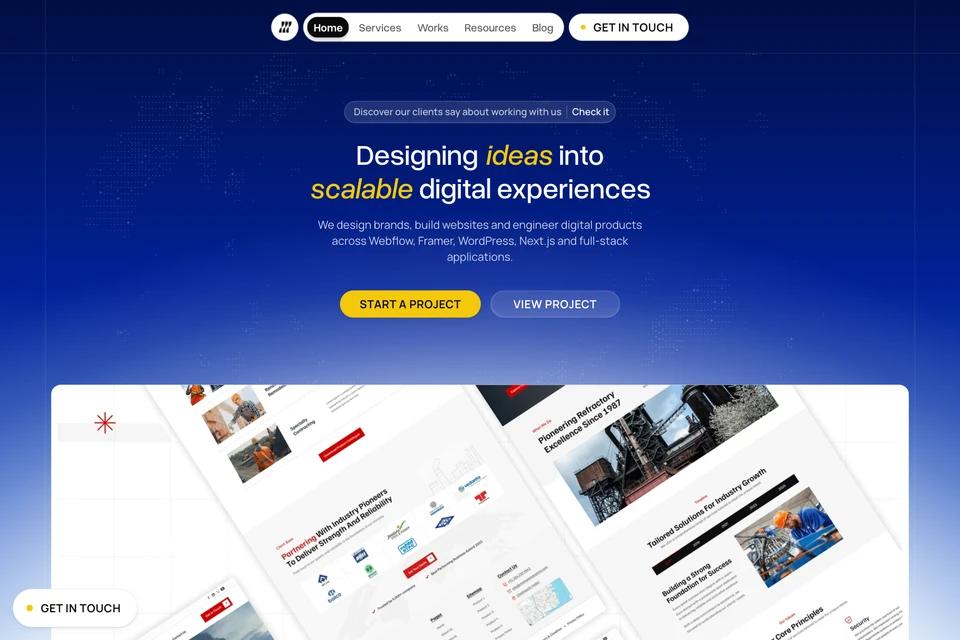
The cover shows our actual homepage with reduced motion emulated in a browser on 6 November 2026. It identifies the page and viewing condition. A still frame cannot demonstrate the full motion behavior, prove that a preference was honored everywhere or establish WCAG conformance.
That limitation is useful in client reviews: show the proposed final visual state, then separately record the observed interaction. A screenshot and a behavior check serve different purposes. Do not substitute one for the other or label an untested alternative “accessible” because it looks calmer.
Review the visitor’s task in both states
Use the same short task with the normal presentation and reduced-motion preference. Can the visitor identify the service, open navigation, reach the next section and complete the intended action? Check whether content stays hidden, focus is lost or a sticky element covers the destination.
Use keyboard interaction as well as pointer input. Reload at a narrow width, follow an anchor and revisit the page after an interaction. If a preference is changed while the page is open, note what updates and what requires a reload. Record a failure precisely: the trigger, expected alternative and actual state.
Turn motion decisions into a handoff
For each effect, assign a trigger, purpose, default behavior, reduced-motion behavior and owner. Add any required pause or stop behavior separately. Link the actual component or page and retain the environment used for verification.
Use the website motion planning worksheet to keep these decisions beside the content and implementation work. Mark unknown behavior as not_tested. A small honest record is more useful than a blanket claim that every animation is safe.
Primary references
- MDN: prefers-reduced-motion, checked 7 November 2026.
- W3C: Animation from Interactions, including its Level AAA scope.
- W3C: Pause, Stop, Hide, including conditions and exceptions.
For the wider review, read how to review an AI-built website before launch. Motion choices belong inside that real task review, alongside content, controls and the working result.

The Blitz Studio team
We design brands, build websites and engineer digital products.
Talk about your next project