Use this worksheet to give each important website page a clear reader task, a distinct title and a description that matches its content. Copy the blank record for each URL, compare related records together, and assign an owner to unresolved decisions before publication. The downloadable Markdown copy can be edited in your usual document or content workflow.
Start with a useful group of pages
Choose a manageable group: your homepage, core services, a topic page and a few supporting guides. Review the pages that a visitor would compare or move between. This makes overlapping promises easier to notice than reviewing unrelated URLs one at a time.
Do not create a new page for every variation of a phrase. First decide whether the visitor needs a different answer. “Create a business website” and “build a business website” may lead to the same guide; a comparison of hosting approaches has a separate job.
This is an editorial planning aid. It does not calculate search volume, crawl your site, certify technical SEO or guarantee indexing.
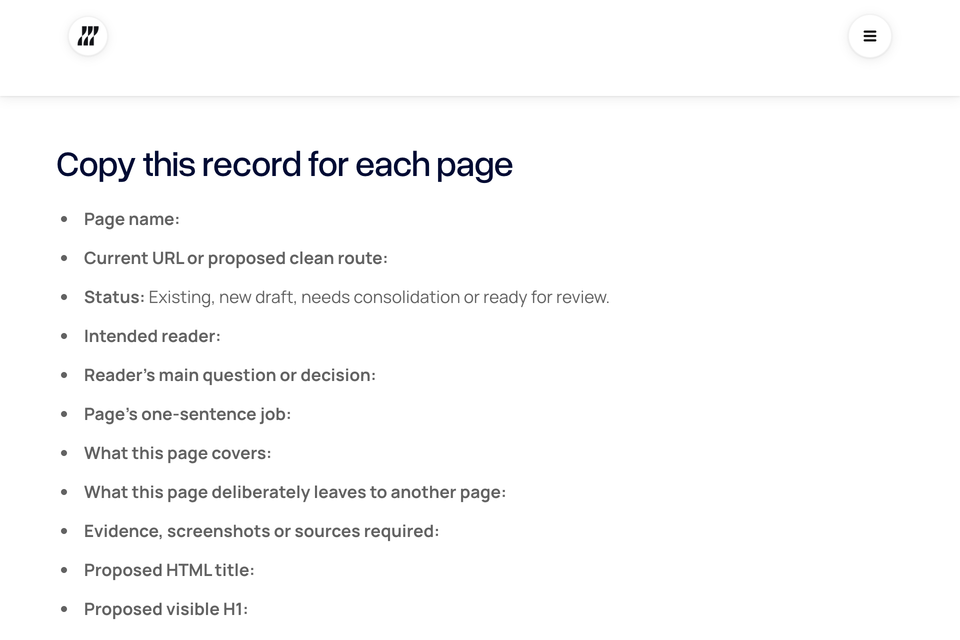
Copy this record for each page
- Page name:
- Current URL or proposed clean route:
- Status: Existing, new draft, needs consolidation or ready for review.
- Intended reader:
- Reader's main question or decision:
- Page's one-sentence job:
- What this page covers:
- What this page deliberately leaves to another page:
- Evidence, screenshots or sources required:
- Proposed HTML title:
- Proposed visible H1:
- Proposed meta description:
- Related pages to link to:
- Useful next step for the reader:
- Content owner:
- Reviewer and actual review date:
- Unresolved questions:
- Publication or substantive revision date:
Keep the URL stable while drafting unless there is a clear reason to change it. If an existing public URL must move, record its destination and the required redirect separately. A new label in this worksheet does not implement a redirect.
Worked example: an illustrative service business
The following example is fictional. It demonstrates the record's level of detail and does not describe a Blitz Studio client, a tested search opportunity or a measured result.
- Page name: Monthly bookkeeping service.
- Proposed route:
/services/monthly-bookkeepingon the example business's website. - Intended reader: A shop owner evaluating ongoing bookkeeping support.
- Reader's main question: Can this provider handle the regular bookkeeping work my shop needs?
- Page's job: Explain the scope, working process and enquiry requirements so the reader can decide whether to discuss their needs.
- Coverage: Included tasks, client responsibilities, handoff process, service boundaries and approved proof.
- Separate page: Preparing records for a first bookkeeping appointment belongs in a supporting guide.
- Evidence needed: The provider's approved scope, real delivery process and permission for any client quotation.
- Proposed title: Monthly bookkeeping for independent shops | Example Company.
- Proposed H1: Monthly bookkeeping that fits the way your shop works.
- Proposed description: Explore monthly bookkeeping for independent shops, including the working process, what your team supplies and how to discuss the right scope.
- Next step: Send an enquiry with the business's requirements.
- Owner and review: Assign real names and dates before use; do not treat this example as approved copy.
Notice that the description does not promise a price, qualification, saving or result absent from the example. The visible page must support each statement before it can be published.
Compare neighboring records
Read only the job, title and description of each record first. Could a reader tell the pages apart? Then open the actual pages and check whether those differences exist in the content.
- If two records answer the same question, investigate combining them or defining a meaningful boundary.
- If a service page reads like a general tutorial, decide which task it should serve and adjust the content first.
- If several descriptions differ only by one substituted word, look for missing substance rather than generating more variations.
- If the page needs proof that the team does not have, remove the claim or obtain the evidence.
- If the intended next step is unrelated, replace it with one that continues the reader's task.
Use the page-title and description guide for the wording review and the website structure guide for broader page organization.
Run the publication review
Ask the owner to confirm content and factual accuracy, then check the rendered page. The CMS field alone is not the final output.
- Confirm the page's main heading, title and description describe the same useful answer.
- Check the canonical route and ordinary internal links.
- Confirm an intended public page is available and not accidentally excluded from indexing.
- Check that images, sources and downloads actually load.
- Review mobile reading, keyboard navigation and the reader's next action.
- Record redirects where an existing destination changed.
- Mark open issues with an owner rather than recording a false approval.
Google can generate title links and snippets from several page signals; the proposed copy is not a guaranteed search-result preview. The worksheet does not replace the website launch checklist.
Keep a change record after launch
Record the release date, the changed fields and any other content or site changes made at the same time. When data becomes available, review relevant pages and queries in Search Console. Separate observations from explanations: a change in clicks may have several causes.
Review the record when the offer, evidence or content changes. Do not update dates simply to make an unchanged page look fresh. Archive abandoned drafts so they are not confused with the current plan.
Sources and companion reading
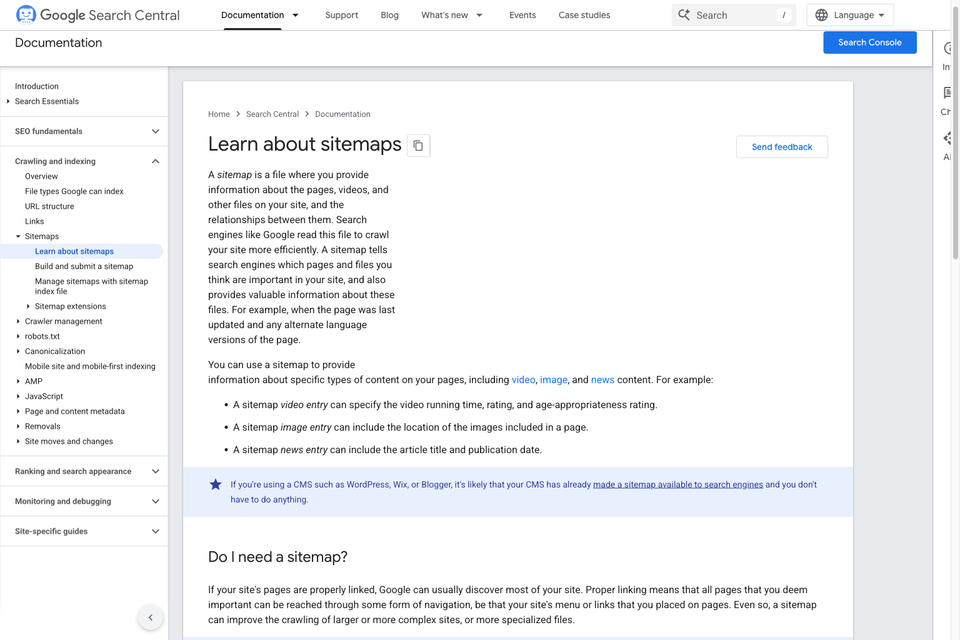
- Google Search Central: title-link guidance.
- Google Search Central: meta descriptions and snippets.
- How to write page titles and meta descriptions.
- How to write a website brief.
Prepared 27 October 2026. The worked example is illustrative. The cover is a screenshot of this worksheet, captured on 29 October 2026. This resource stores no business information on a server; edit your downloaded copy in a location appropriate for your information.

The Blitz Studio team
We design brands, build websites and engineer digital products.
Talk about your next project