Use this worksheet to connect visitor tasks, page destinations and navigation labels before changing a website menu. Copy the blank records into your project notes or download the editable Markdown version. This page does not collect or save completed answers.
Describe the website and the review
- Website and public address:
- Main audiences and evidence for them:
- Business purpose:
- Content and navigation decision owner:
- Design and implementation owners:
- Date, scope and starting assumptions:
- What needs to be learned or resolved:
Use the AI-built website review guide when a generated draft needs its first acceptance review. Distinguish actual customer evidence from planning assumptions.
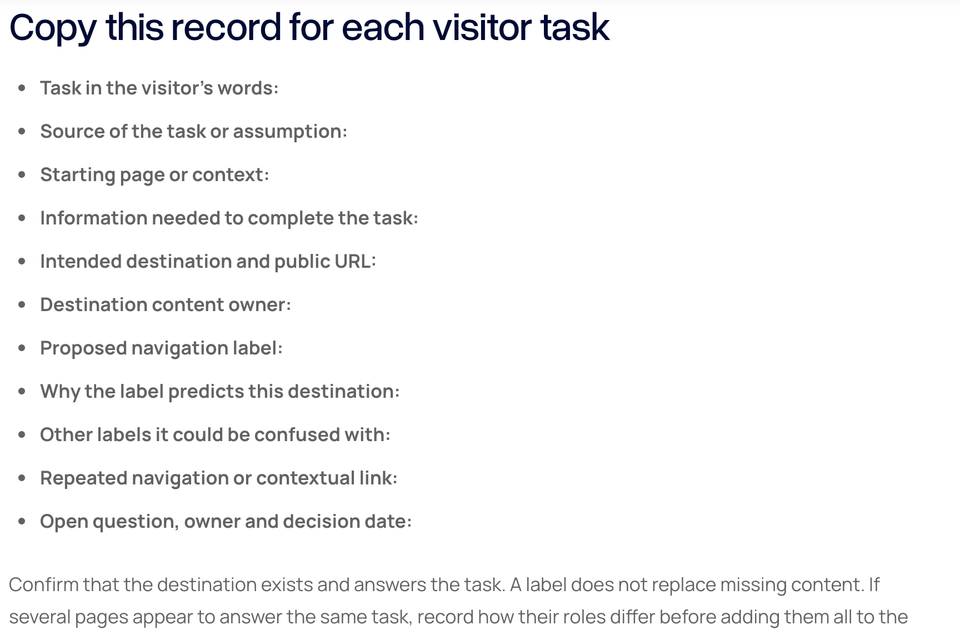
Copy this record for each visitor task
- Task in the visitor's words:
- Source of the task or assumption:
- Starting page or context:
- Information needed to complete the task:
- Intended destination and public URL:
- Destination content owner:
- Proposed navigation label:
- Why the label predicts this destination:
- Other labels it could be confused with:
- Repeated navigation or contextual link:
- Open question, owner and decision date:
Confirm that the destination exists and answers the task. A label does not replace missing content. If several pages appear to answer the same task, record how their roles differ before adding them all to the menu.
Review the repeated navigation
- Purpose of each repeated destination:
- Proposed relative order and its rationale:
- Separate contact or other key action:
- How the current location is communicated:
- Where secondary navigation belongs:
- How the same destination is named elsewhere:
- Owner of changes to the repeated menu:
Review the group of labels together. Do not choose a universal number of items without considering the website and its tasks. Keep the destination record current when a label or public route changes.
Review desktop and mobile behavior
- Desktop starting page and viewport:
- Mobile starting page and viewport:
- How the mobile menu opens and closes:
- Repeated items, relative order and destinations:
- Any additional secondary destinations and their purpose:
- Keyboard path and visible focus observations:
- Current-location observation:
- Unresolved implementation issue and owner:
Record observed behavior in the built site. A mobile design image alone does not demonstrate opening, closing, keyboard use or correct destinations.
Fictional task example
This example concerns a fictional consultancy. Replace its assumptions and decisions with the actual project's evidence.
- Task: Find out whether the team handles a project like mine.
- Assumption: The visitor wants to compare the offer with relevant previous work.
- Destination: A service explanation connected to approved project examples.
- Possible labels: Services for the offer, Work for the examples.
- Potential confusion: Discover could describe either destination without further context.
- Review question: Can a reviewer find the relevant information from the agreed starting page without being told which label to select?
- Open decision: Confirm the wording and grouping with evidence from the actual audience.
This is an illustrative planning record, not a participant-study result. No menu wording or path is claimed to improve conversion.
Record one review attempt
- Task instruction given to the reviewer:
- Starting URL and environment:
- Reviewer, date and method:
- Expected destination:
- Path actually followed:
- Where uncertainty or an error occurred:
- Whether the destination answered the task:
- Evidence location:
- Proposed change and rationale:
- Issue owner and repeat-review result:
Keep the task instruction separate from the expected label. Asking someone to select Services tests a different question from asking them to find whether the business offers a particular service.
Connect local links and actions
- Useful next destinations within each page:
- Supporting resource or article links:
- Action label, destination or command:
- Expected immediate result:
- Actual observed result:
- Who maintains the connection:
Use the internal-link guide for contextual paths and the button-label guide for action wording. A new page may need a local link or a topic listing rather than another repeated menu item.
Sources and scope
Prepared 31 October 2026. This worksheet supports a planning and review process; it is not an accessibility certification or a completed usability study. The example is fictional and the cover previews the actual resource. Keep completed records in the project's approved document system.

The Blitz Studio team
We design brands, build websites and engineer digital products.
Talk about your next project