The quick answer
Before sharing a Figma Make demo with a client, agree what the link is intended to demonstrate. A clickable interaction can help review a proposed journey, but the reviewer also needs to know which data are illustrative, which actions are connected and what decision you want them to make.
Before sharing a Figma Make demo with a client, agree what the link is intended to demonstrate. A clickable interaction can help review a proposed journey, but the reviewer also needs to know which data are illustrative, which actions are connected and what decision you want them to make.
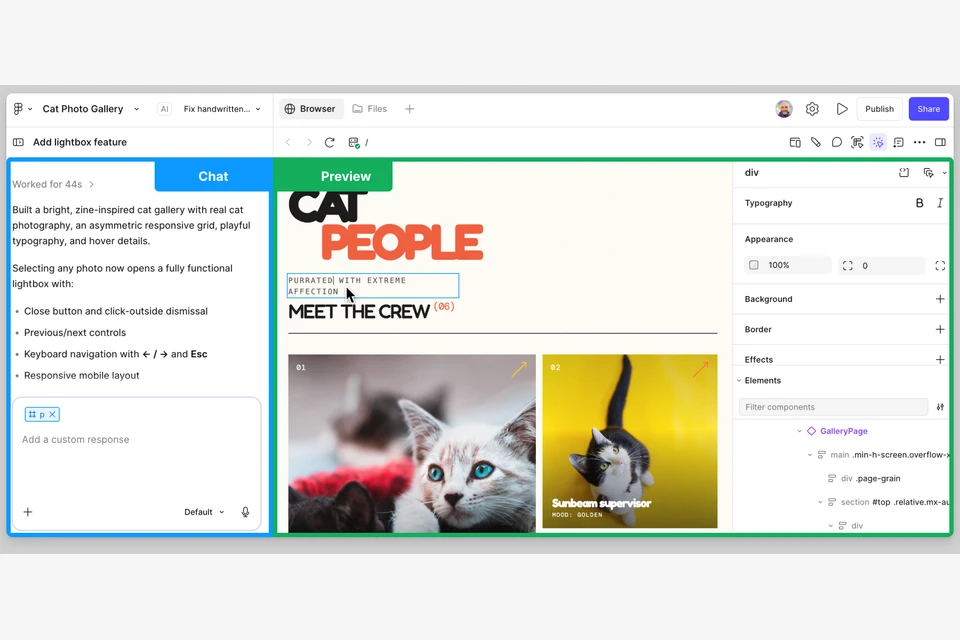
Figma currently describes Make as an AI-driven prompt-to-app tool for interactive apps, prototypes and interfaces. It also supports publishing to the web. This guide is about a clear client-review handoff, not a claim that Make can only produce mockups or that a published app is automatically ready for your business. We did not build or benchmark a Make app for this article.
Name the decision before sharing the link
Write a single sentence that explains the review: “Decide whether the booking sequence asks for the right information before we implement the real availability connection.” That fictional example gives a client something more precise than “please send feedback.”
Separate decisions about the journey from decisions about visual treatment, content and operational behavior. A client may approve the order of steps without approving the final policy wording. If all feedback is collected as a general yes or no, that distinction can disappear during the next handoff.
List what is in scope and what is deliberately incomplete. The record might include a working navigation sequence, illustrative appointment slots and an unconnected confirmation message. Use the actual state of your app; do not assume an attractive confirmation screen means a booking was stored or an email was delivered.
Distinguish preview access from published access
Figma’s current documentation distinguishes sharing a preview from publishing an app at a dedicated URL. The publishing guide also documents audience and password controls, including organization-restricted publishing on eligible plans. Check the actual plan, administrator settings and sharing mode for your file rather than assuming every link has the same audience.
Its password guidance specifically distinguishes the published app from the preview, which follows file-sharing permissions. A protection setting on one surface is not evidence about another. Record the exact link you are asking the client to use and verify its intended access through an authorized review process.
Decide whether the material is suitable for that audience before sending it. Replace real customer information with approved illustrative data when appropriate, and label the substitution. A client demo should not quietly become a public source of confidential project details.
Make the data boundary visible
For each important action, record what it actually does. Does a submit button update a visible state, save information, call a service or send a message? Which of those outcomes has been checked? If a connection is not ready, say what happens instead and what remains to implement.
A useful fictional handoff might say: “The demo uses illustrative availability. Selecting a slot advances the interface but does not reserve a real appointment. Review the information requested; do not enter customer details.” This describes a proposed demo boundary, not the behavior of a Make app we tested.
If the app is intended to collect real information, treat that as operational work with named ownership and verification. Agree where the information goes, who can access it, what the visitor is told and what happens when the request fails. Do not use a client review to discover these responsibilities after the fact.
Give the reviewer a short task
Ask the reviewer to complete a specific journey and note the point where information becomes unclear. Provide the starting URL, intended audience, task, expected scope and a place to record observations. Avoid asking them to inspect every screen without a question to answer.
For a fictional booking flow, the task could be to identify a suitable service, choose an illustrative time and explain what they expect the confirmation to mean. Their expectations may expose an ambiguity even when the controls are technically clickable.
Ask for the page or step, what they expected, what they saw and why it matters. Keep observed defects separate from new ideas. “The back control loses the selection” is a different record from “we would like a group-booking feature.” Both may be useful, but they lead to different decisions.
Record the version that was reviewed
Figma’s publish guide describes an explicit update step for a published app. A changed file and the client’s published view can therefore be different states during iteration. Record the link, review date and published update that the feedback concerns.
After a meaningful update, tell the reviewer what changed and which task needs another check. Do not silently treat earlier approval as approval of later content or integrations. If you are reviewing an interface proposal, preserve that scope when transferring the result into an implementation backlog.
A compact handoff should include:
- Review purpose and the decision owner.
- Exact link, intended audience and sharing mode.
- Version or published-update reference and review date.
- Real, illustrative and unconnected data or actions.
- A short task with an expected outcome.
- Observation record and unresolved questions.
- Agreed next step and what approval actually covers.
Move from feedback to a supported release
Before a public business release, decide which questions need actual verification rather than more visual review. Form delivery, data handling, keyboard interaction, narrow layouts and failure recovery deserve specific checks in the intended environment. Use the AI-built website review guide for that later stage.
Keep the distinction practical: a demo review can approve a direction; an operational check establishes a particular behavior under stated conditions. Neither should be reported as a result you did not observe.
Primary sources
Product facts were checked on 8 November 2026 against Explore Figma Make and Figma’s publishing and access guide. Access and publishing controls remain plan- and setting-dependent. The fictional handoff examples and review framework are original editorial recommendations, not a tested app or a new-release announcement.
For the project’s wider scope, start with the website brief template. For approval wording supported by evidence, read the website case-study guide.

The Blitz Studio team
We design brands, build websites and engineer digital products.
Talk about your next project