Use this worksheet to define what a content-hub search should cover and record query behavior in the actual interface. The accompanying CSV includes three measured public observations and one blank not_tested case. Keep its snapshot date and limits when reusing it.
Set the search boundary
- Site, hub and URL:
- Content types included and excluded:
- Fields searched: title, summary, tags, full text or another defined scope.
- Filters and default selection:
- Result order and whether ranking is actually implemented:
- Content/build baseline and review date:
- Owner and reviewer:
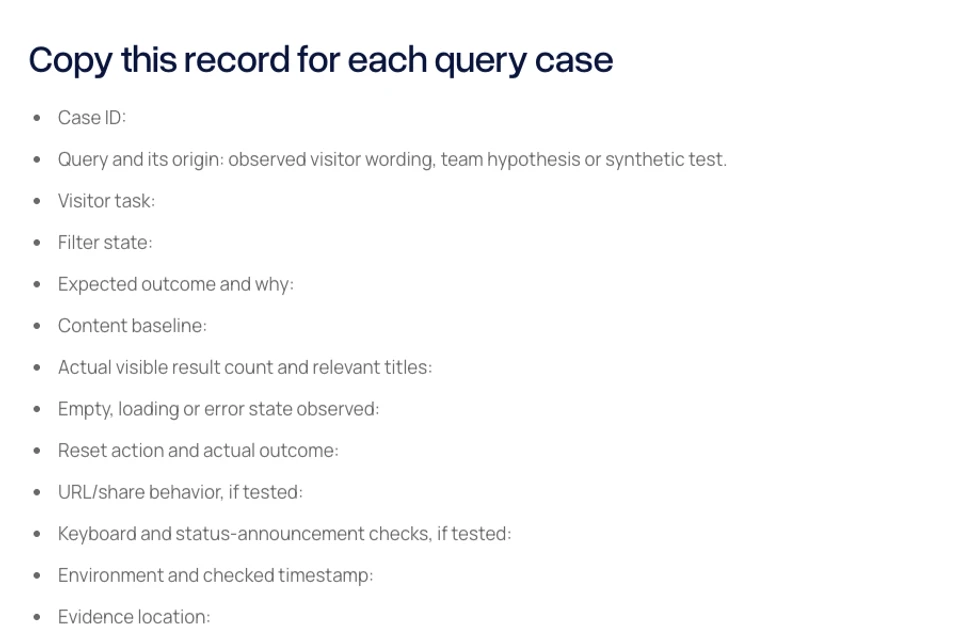
Copy this record for each query case
- Case ID:
- Query and its origin: observed visitor wording, team hypothesis or synthetic test.
- Visitor task:
- Filter state:
- Expected outcome and why:
- Content baseline:
- Actual visible result count and relevant titles:
- Empty, loading or error state observed:
- Reset action and actual outcome:
- URL/share behavior, if tested:
- Keyboard and status-announcement checks, if tested:
- Environment and checked timestamp:
- Evidence location:
- Status: not_tested, pass, fail or blocked.
- Limits, owner and next action:
What the supplied measured rows establish
Three rows come from a scoped browser check of the public Blitz Studio blog on 9 November 2026, before today’s content batch was published. The default all-articles filter was used. “Figma Make” showed one card, the synthetic unmatched string “qzxmissing20261109” showed zero, and clearing the query showed 28 cards.
These rows establish only the recorded visible result behavior at that time. The 28-card baseline will change as articles are published. They do not establish relevance ranking, synonym support, typo tolerance, every filter combination, keyboard completion, screen-reader output, URL restoration or a complete accessibility assessment. No private search history or analytics are included.
The blank row is not_tested. Fill the expected outcome from your actual scope and content before running it, and record the observed result afterward. Do not copy pass statuses into your own project as if a check had happened there.
Build a useful next test set
- Known title or distinctive phrase: can a visitor find a named item?
- Broad topic: does the set include the content you expect?
- Visitor synonym: supported behavior or an explicit current limitation?
- Misspelling: actual behavior recorded without assuming tolerance.
- Filter combination: is the active boundary understandable?
- Unmatched query: clear empty state and recovery path.
- Reset: query/filter state and browsing restored as intended.
- Loading or failed request: distinguished from a successful empty result.
- Newly published and retired content: reflects the actual search scope.
Record status-message review separately
A visible count is not proof of assistive-technology behavior. Identify the search control’s name, the status message, the input method and the environment used. Record actual announcements when tested; otherwise leave that part not_tested.
W3C’s Status Messages guidance distinguishes the list of results from messages about completion or outcome. Use the applicable guidance with a real implementation review, rather than treating this worksheet as a certification.
Keep the matrix current
- Record the version or content baseline for each run.
- Preserve the actual timestamp and scope of measured evidence.
- Update expected counts when content changes for an understood reason.
- Keep failures and unresolved limitations visible.
- Assign each next action to an owner.
- Exclude personal data and confidential queries from public copies.
Read the companion content-hub search guide. Primary reference: W3C Understanding Status Messages. This original planning artifact and its small public snapshot do not establish traffic, indexing or search ranking improvements.

The Blitz Studio team
We design brands, build websites and engineer digital products.
Talk about your next project