The quick answer
An AI site builder can propose a site quickly, but it cannot choose which business promises you are authorized to make. Before generating a Webflow site, prepare a small decision pack: the audience, the pages they need, approved evidence, brand constraints and who will maintain the result.
An AI site builder can propose a site quickly, but it cannot choose which business promises you are authorized to make. Before generating a Webflow site, prepare a small decision pack: the audience, the pages they need, approved evidence, brand constraints and who will maintain the result.
This guide addresses the generation brief and the decisions immediately around it. It is not a hands-on benchmark or a claim that Webflow will improve your conversions. Product details were checked against current official documentation on 7 November 2026. The sample brief below is fictional.
Check whether this is the right starting point
Webflow’s current help guide says the AI site builder works for a new site or an existing AI-generated site. It cannot be applied to a site that was originally built another way. That distinction matters if your real task is a redesign of an established Webflow project rather than a new build.
Write down the actual starting point: new business, new campaign site, existing site to replace, or existing Webflow project to maintain. Identify what must survive: URLs, approved copy, CMS records, integrations and ownership. A generated draft does not answer the migration question. Use the migration URL mapping worksheet if old public pages will move.
Also check the current plan and Workspace AI access before planning your page set. The help guide currently distinguishes a two-page limit without a paid Workspace or Site plan from up to five initially generated pages with a paid plan. These are current product constraints, not a permanent pricing promise. Confirm the requirements in the linked documentation and your actual account.
Give each page a job
A list of page names is a weak brief. Add the visitor question and desired next step for each one. A service business might need a homepage that explains fit, a service page that clarifies scope and an enquiry page that sets response expectations. A blog is not automatically useful just because the builder can create a page called Blog.
For every proposed page, record its audience, primary question, evidence available and action. If two pages answer the same question with the same evidence, merge them or explain why they need different routes. If a page requires material you do not have, assign an owner before generation rather than asking the model to invent it.
The current builder lets you refine a proposed structure before generating the full site. Use that stage to challenge redundant pages and missing decisions. Webflow also warns that regenerating the structure replaces current structure edits. Keep the agreed page plan outside the generation session so it can be recovered and reviewed.
Supply proof separately from instructions
A prompt such as “make us look like a trusted market leader” invites claims that may not be supported. Instead, provide approved service descriptions, actual deliverables, permitted client names and the wording of any approved testimonials. Label missing facts explicitly.
Separate these inputs into three groups: facts that can be published, decisions the builder can propose, and material that must not appear. For example, public service names are facts; the order of supporting sections is a proposal; an unreleased client project is restricted. Do not paste confidential source material into a tool simply to make the brief more detailed.
Ask for placeholders that clearly identify missing evidence during drafting, then replace or remove them before publication. “Approved project image needed here” is a production task. A generated project presented as an actual client result is a credibility problem.
Make brand rules reviewable
Describe the practical boundaries of the design: approved logo files, typography, color roles, image sources and the kind of motion you want to avoid. A mood adjective such as “premium” does not tell a reviewer whether headings, contrast or image treatment are correct.
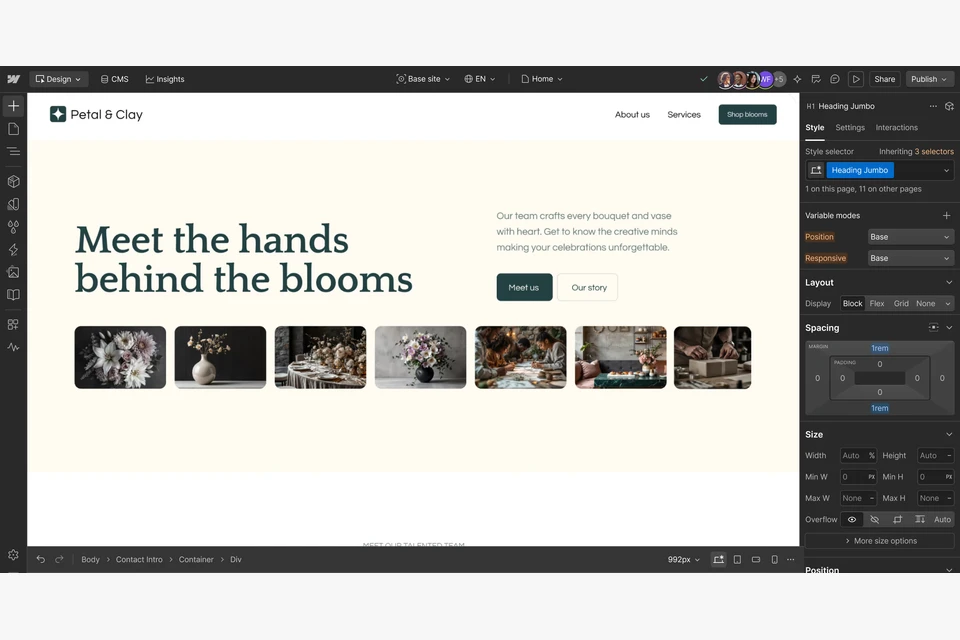
Webflow’s help page says named fonts, colors or brand references are mapped to its theme system rather than copied exactly. Treat the first result as a proposal to inspect. Compare it against your actual assets and rules instead of assuming a prompt guarantees exact brand reproduction.
Its generated sites also include a style guide and use Flowkit. That creates a useful handoff question: which shared choices should remain consistent when the next editor adds a page? Record the approved type, button and spacing decisions with a few actual examples. Avoid describing the resulting system as automatically accessible or fully governed without checking it.
A fictional brief that exposes decisions
Imagine a small commercial photography business. Its generation brief could read:
- Audience: local retail owners planning a product shoot.
- Primary action: request a scoped quote, with no instant price promise.
- Pages: Home explains fit; Product Photography explains deliverables; Contact collects project basics.
- Approved evidence: three owned product photographs and a supplied service description.
- Missing evidence: no approved testimonials or quantified business results; omit both.
- Brand constraints: use supplied logo, restrained colors and readable type; avoid large zooming or parallax effects.
- Handoff: the owner updates projects monthly; identify reusable sections and image responsibilities.
This is an illustrative brief, not a generated or tested Webflow site. It is useful because an editor can see what the system may propose and what it must not invent.
Decide how the draft becomes an owned website
Name the person who accepts content, the person who reviews implementation and the person who owns the account, domain and ongoing costs. Agree where enquiry data should go and who checks delivery. These responsibilities exist whether a site is generated or built manually.
Then use a separate acceptance review for mobile layouts, navigation, form outcomes, accessibility, images and public metadata. The AI-built website launch guide covers that later stage. Do not confuse a convincing generated preview with a verified live service.
Sources and next steps
Read Webflow’s AI site builder help guide for current eligibility, capacity and editing behavior, and its product overview for the vendor’s feature description. These sources establish product claims, not our test results or evidence of search demand.
Start the decision pack with the website brief template. If generated motion is part of the draft, agree its alternative with the reduced-motion planning guide before polishing the animation.

The Blitz Studio team
We design brands, build websites and engineer digital products.
Talk about your next project